Reveal emails and phone numbers
Get a lead's email or phone when you're ready to reach them another way.
Step by step
- Step 1 of 3
Open a lead and click Reveal email or Reveal phone.
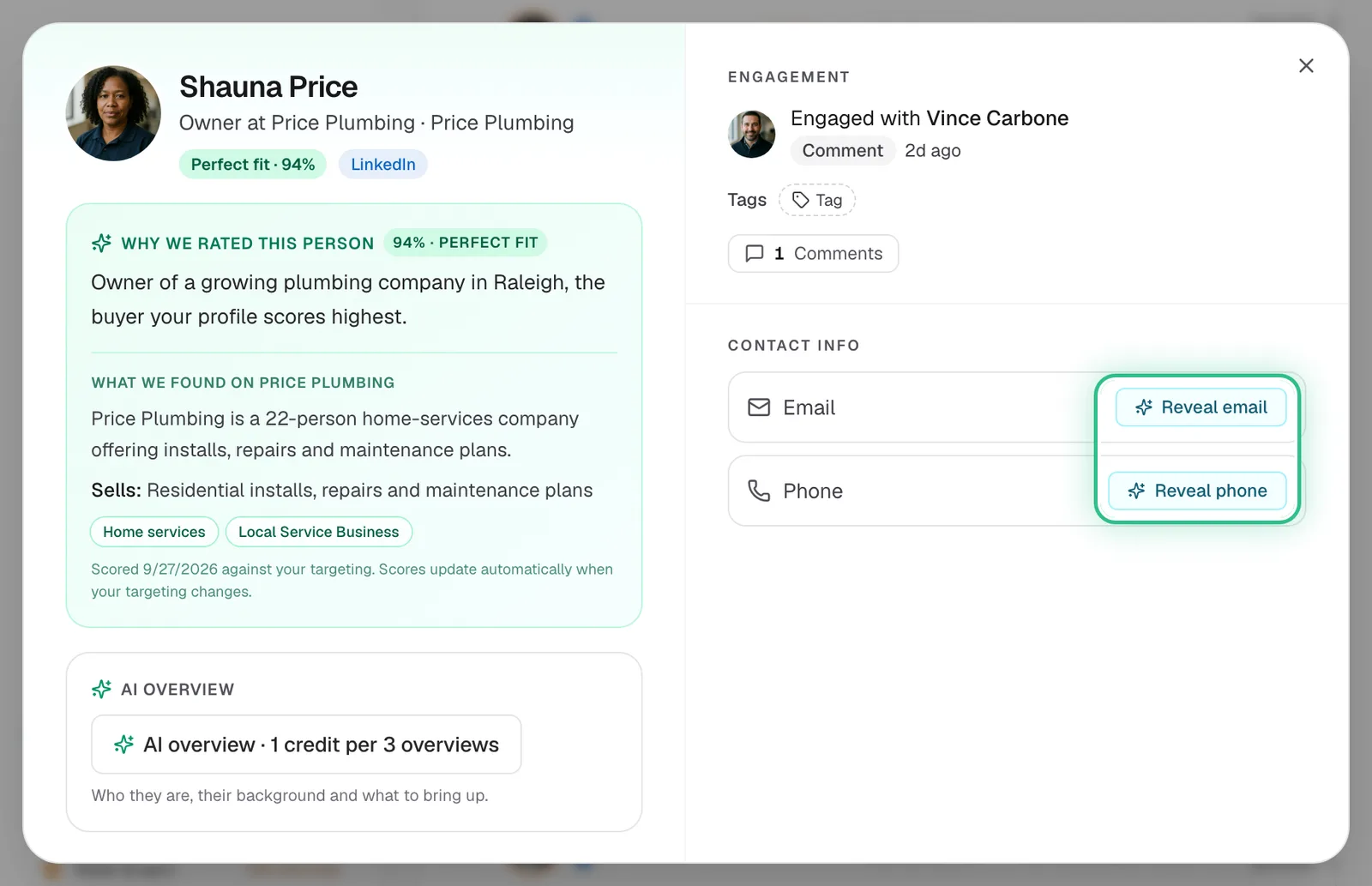
An opened lead with Reveal email and Reveal phone ringed under Contact info - Step 2 of 3
For many at once, select them on the board and click Enrich.
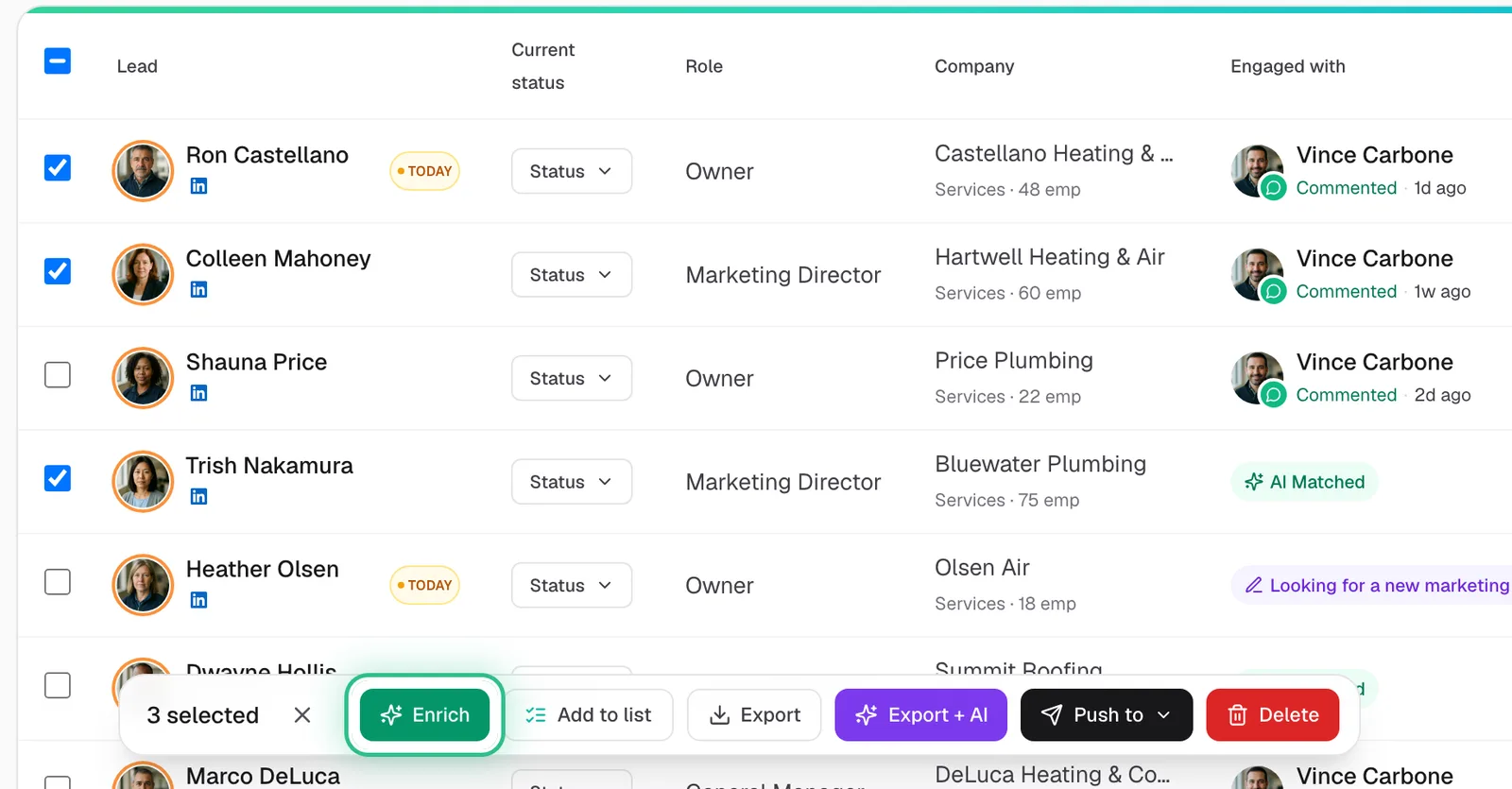
Three leads ticked on the board with Enrich ringed in the bar at the bottom - Step 3 of 3
Use Auto-Enrich in the Leads header to set up reveals for new leads as they arrive.
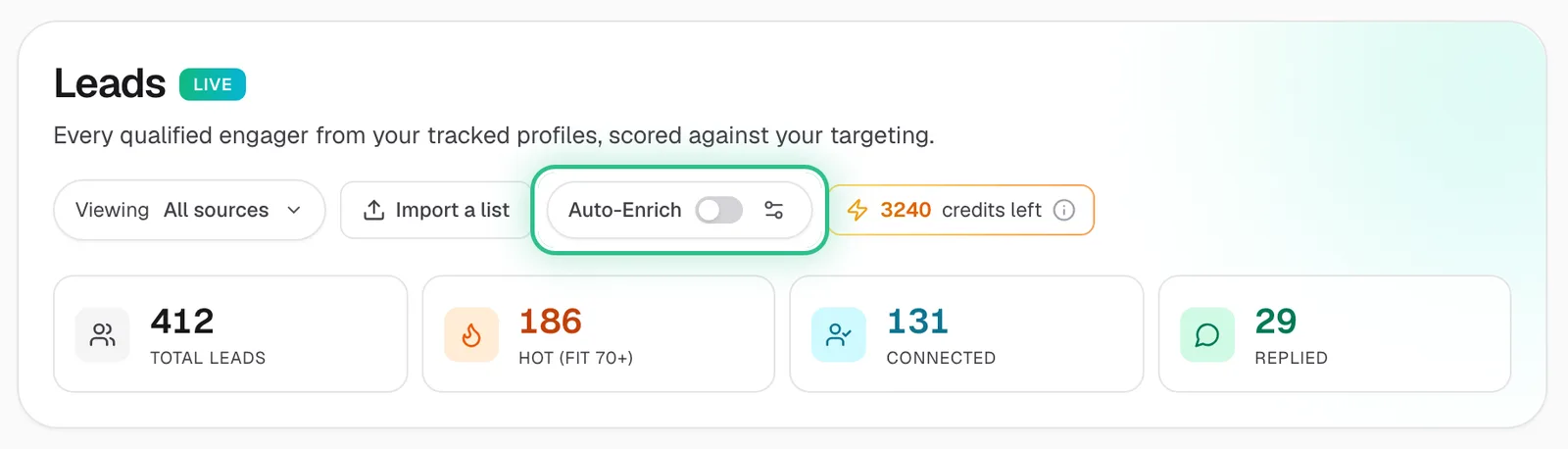
The Leads header with the Auto-Enrich switch ringed
Good to know
- An email reveal costs 3 credits, a phone reveal 5.
- Reveal the leads you'll actually contact — LinkedIn campaigns don't need an email.
- On the trial, CSV export is limited to your top 25 leads.
Ready to try it?
Open Leads in Saava