Handle replies in the Inbox
Every LinkedIn and email conversation in one place.
Step by step
- Step 1 of 4
Open Inbox in the menu. Each person is one conversation, with their LinkedIn and email messages together.
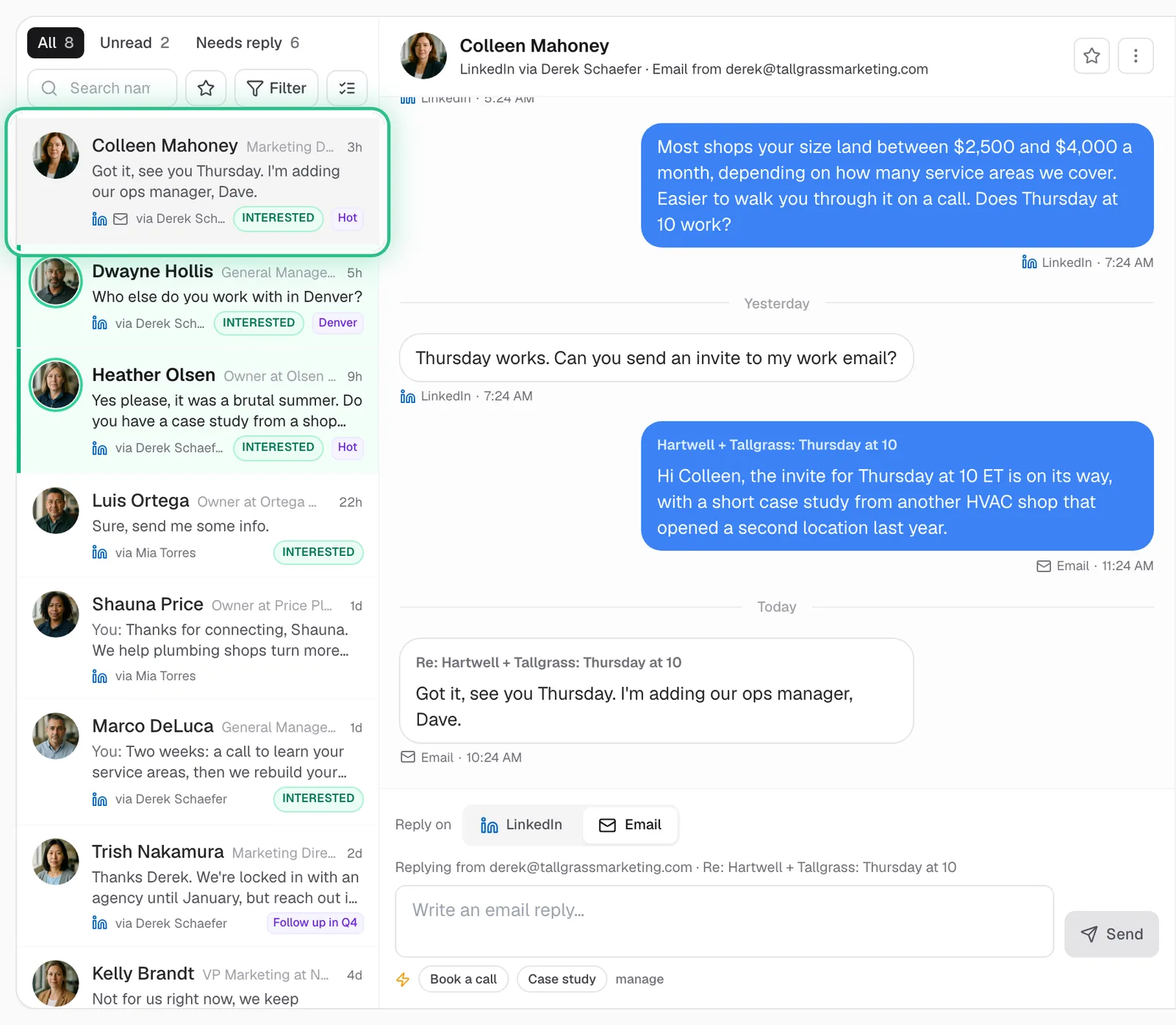
The Inbox with one conversation per person, a LinkedIn and email thread shown together, and the person ringed - Step 2 of 4
Filter by reply status, outcome, tags or sending account.
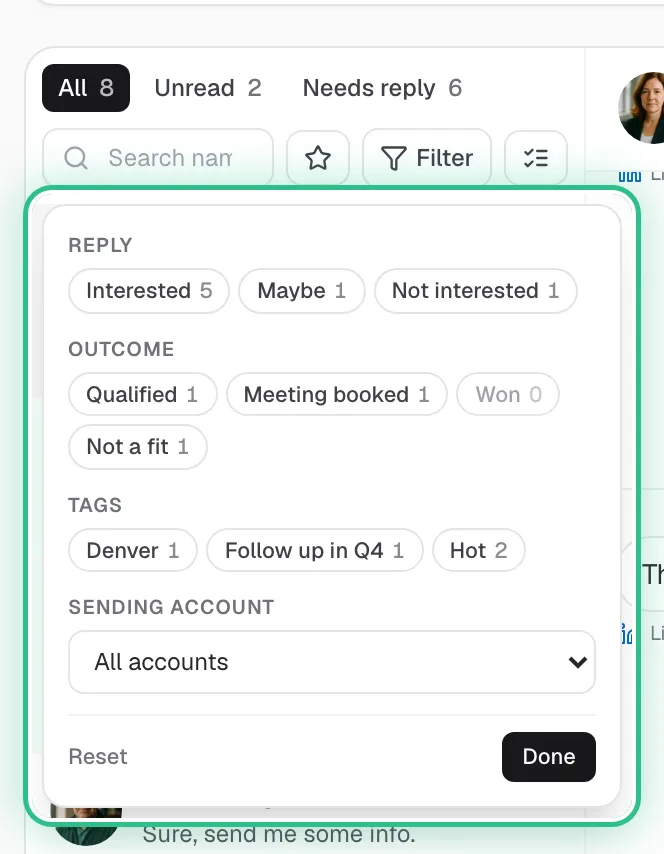
The Inbox filters open: reply, outcome, tags and sending account, ringed - Step 3 of 4
Reply from the box at the bottom, on LinkedIn or email. A LinkedIn reply can go now or be scheduled for later.
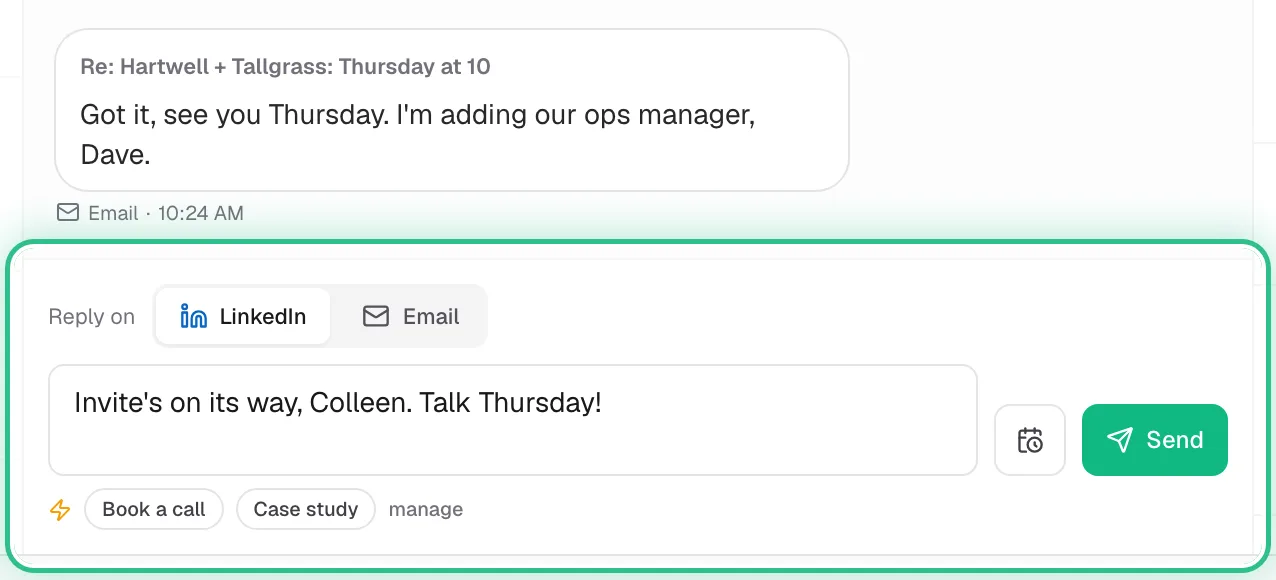
The reply box at the bottom of a conversation, set to reply on LinkedIn, with Send and Send later, ringed - Step 4 of 4
Mark how it went: Qualified, Meeting booked, Won or Not a fit.
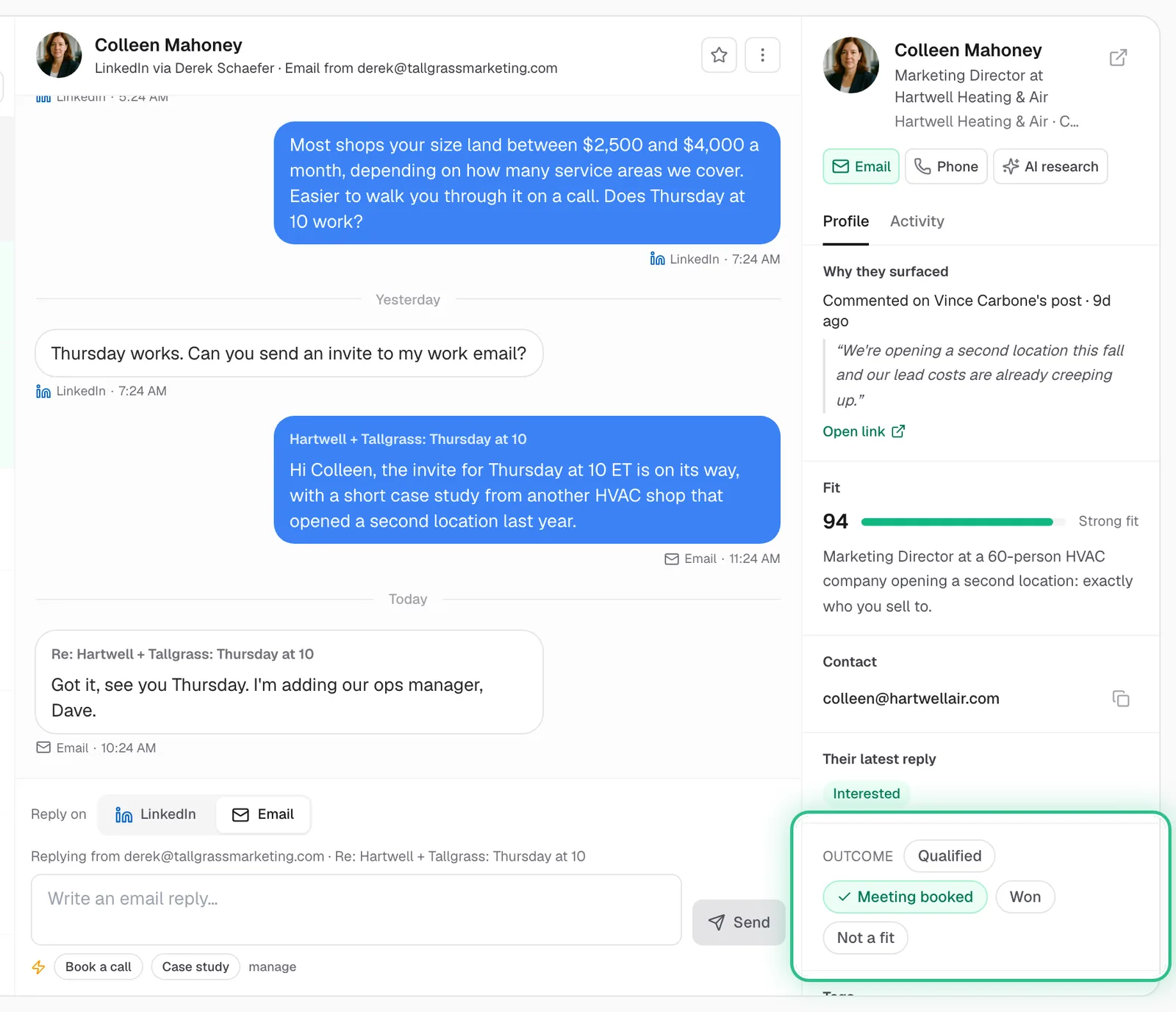
The lead panel beside a conversation, with the outcome buttons ringed and Meeting booked chosen
Good to know
- If you see AI replies at the top of the Inbox, turn it on to have new replies answered within the hour.
- Needs your reply at the top shows who's waiting on you.
- Marking outcomes keeps a record of what each conversation turned into.
Ready to try it?
Open Inbox in Saava