Build and launch a campaign
Pick a lead list as the audience, choose how much the AI writes, and send from your connected accounts.
Watch them first
Step by step
- Step 1 of 4
Open Campaigns and click Create campaign.
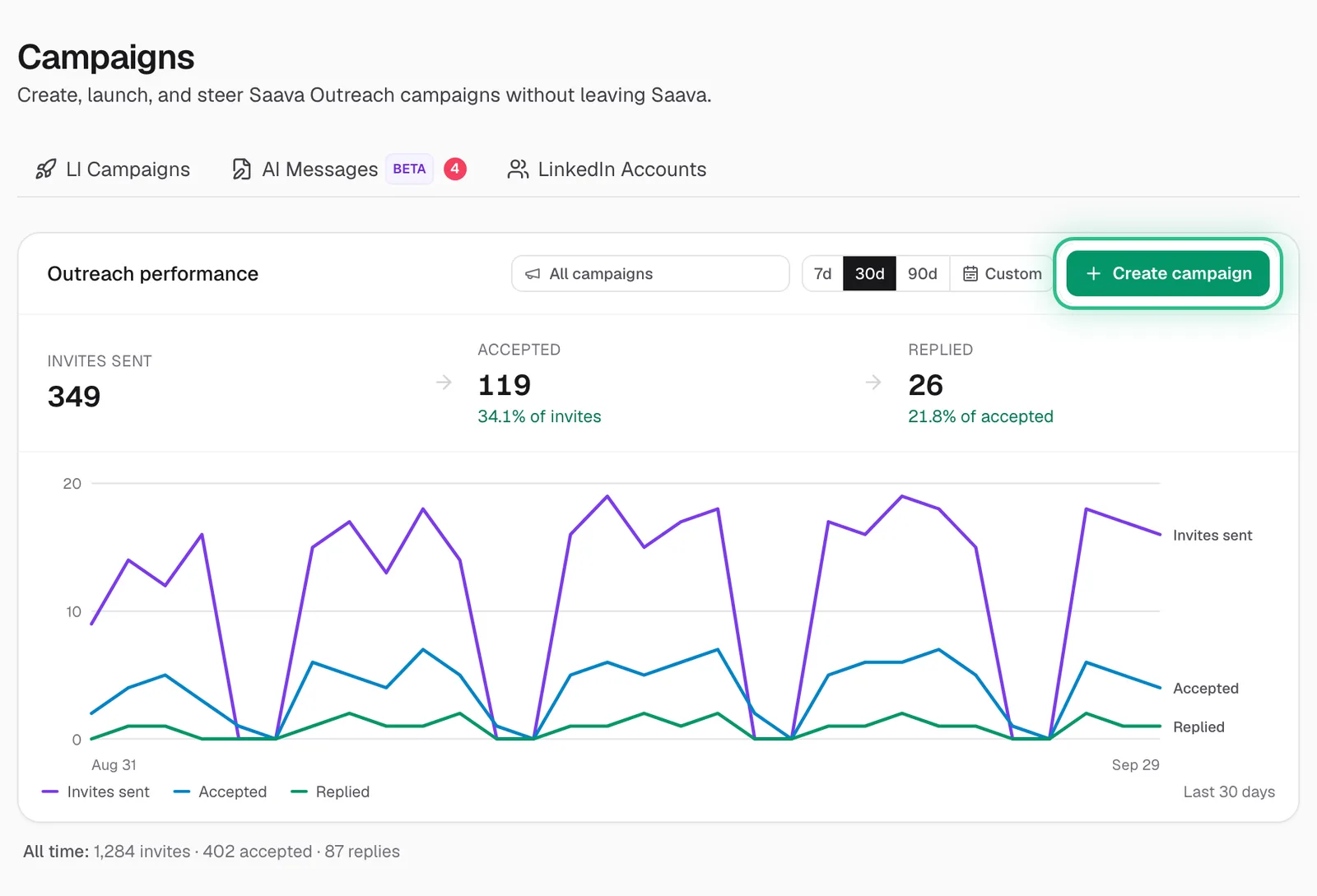
The Campaigns page with Create campaign ringed on the Outreach performance panel - Step 2 of 4
Basics: name it, choose how it reaches people (Connection request, InMail or both), and pick the LinkedIn accounts that send it. Lists: tick the lead lists it sends to.
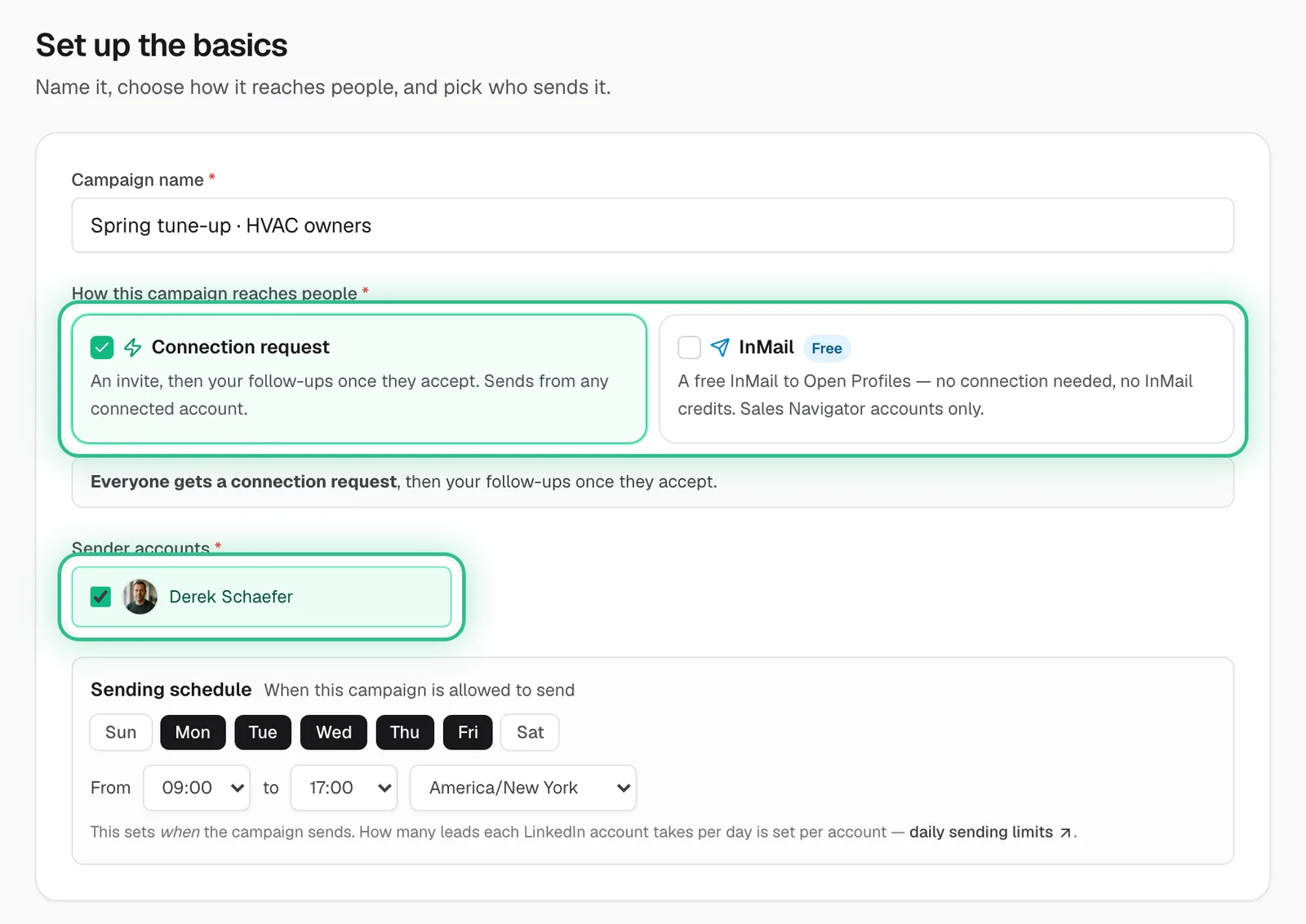
The builder's Basics step with the connection request choice and the sending account ringed - Step 3 of 4
Sequence: pick a playbook (Just connect, “Connect, then follow up”, AI opener or Full AI), then set up the steps it shows: the connection request, the follow-ups and, with InMail on, the InMail.
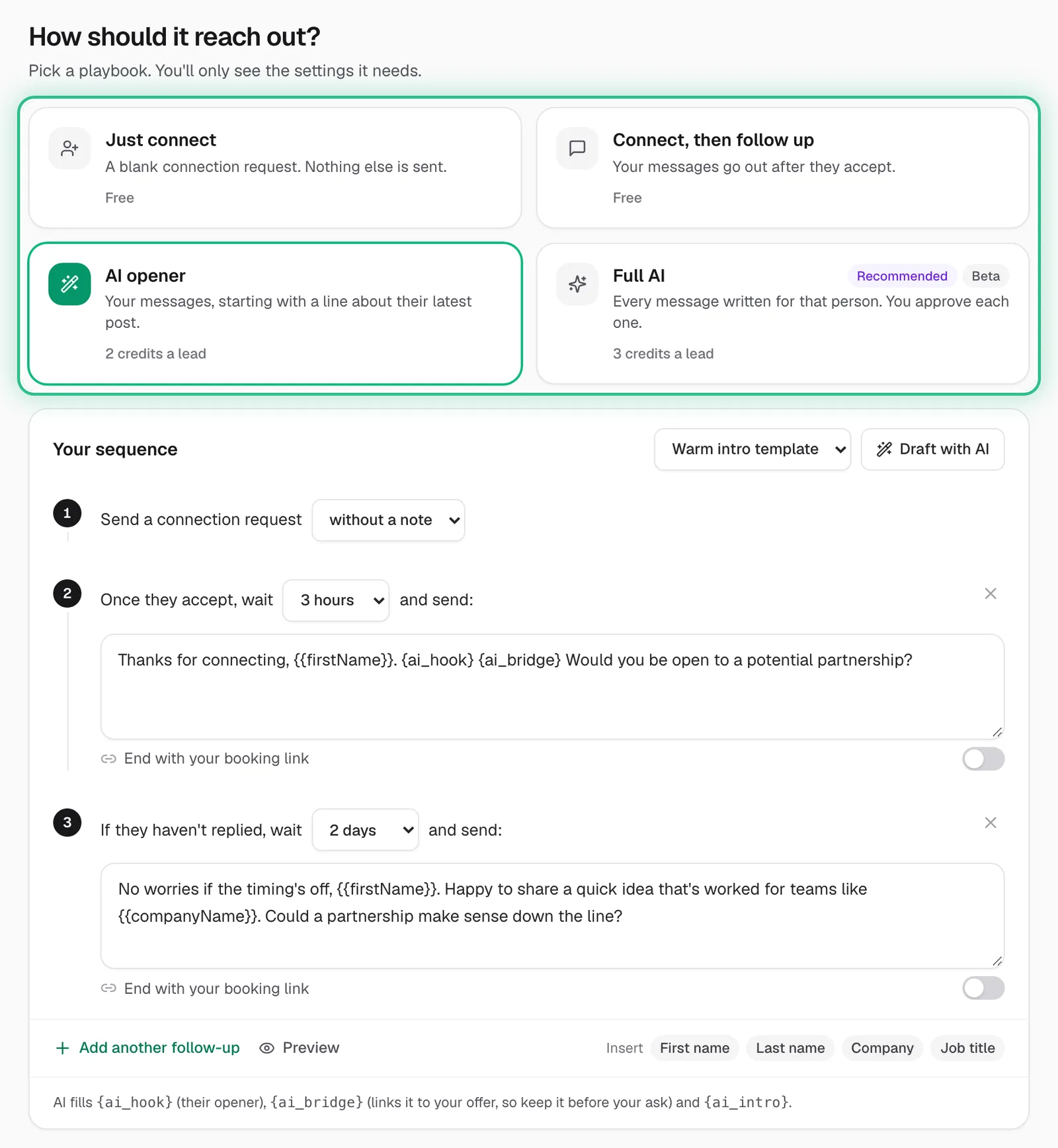
The Sequence step with the four playbooks ringed, AI opener chosen, and the steps it sends below - Step 4 of 4
Review, then click Create campaign. You can pause, resume, add follow-ups or add leads later.
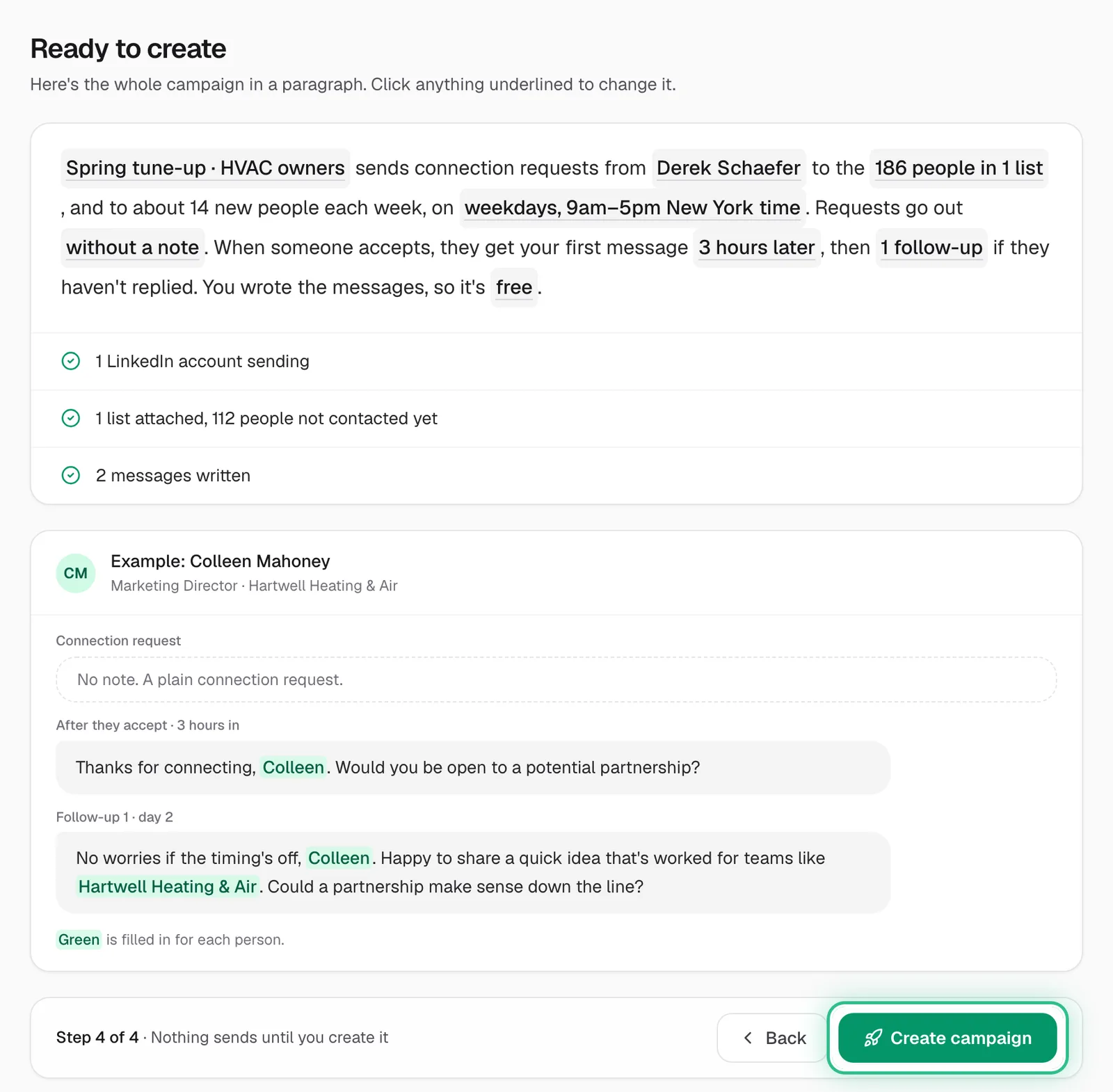
The Review step summing up the campaign, with Create campaign ringed
Good to know
- Just connect and “Connect, then follow up” are free. AI opener costs 2 credits a lead, Full AI 3 a lead plus the Full AI add-on, and messages your own AI writes through MCP Connect 0.5 each. AI writing is free during the trial.
- InMail goes free to Open Profiles, with no connection needed, and sends only from Sales Navigator accounts. With InMail alone, everyone else in your lists is skipped.
- AI-written messages are only as good as your business profile.
- A campaign showing Needs an audience has no list attached, so it can't send.
- No idea where to start? Pick a starting template: Warm intro, Direct ask or Soft ask.
Ready to try it?
Open Campaigns in Saava