Read your dashboard
Your daily view of new leads, fit quality and outreach results.
Step by step
- Step 1 of 4
Check Total leads and High-fit leads (fit 70+), with this week's change.

The dashboard's number tiles with Total leads and High-fit leads ringed, each showing this week's change - Step 2 of 4
Once campaigns are running, Outreach results shows the last 30 days of invites, acceptances and replies across every campaign on your LinkedIn accounts.
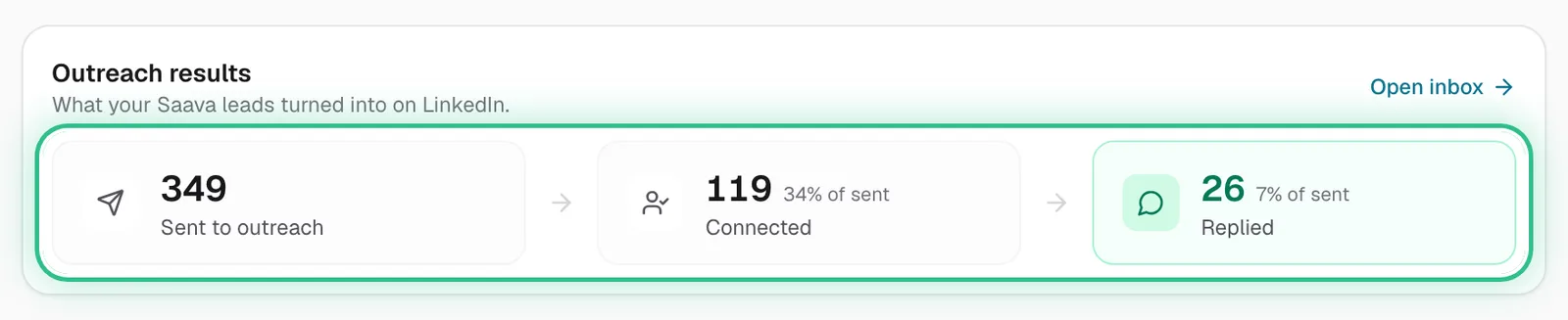
Outreach results with invites, accepted and replied ringed - Step 3 of 4
Top performing posts shows which tracked posts bring the most qualified leads.
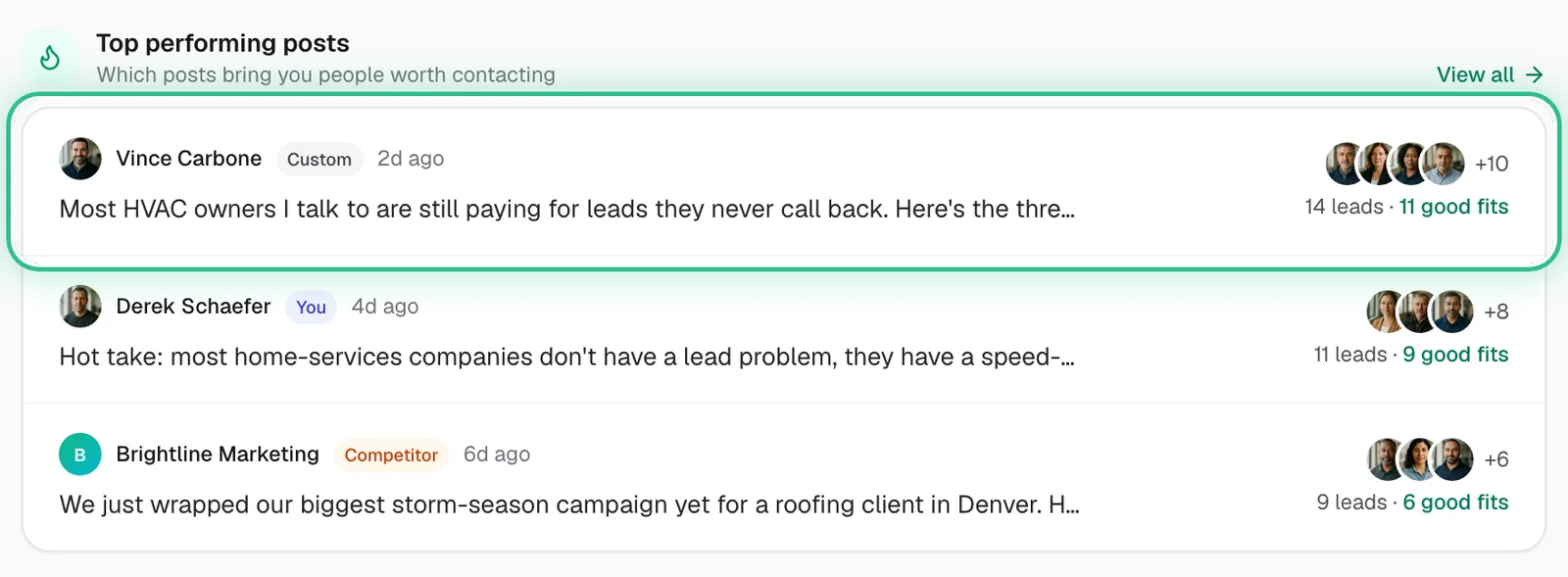
Top performing posts with the top post ringed, showing 14 leads and 11 good fits - Step 4 of 4
Work through Your setup, step by step until it's done.
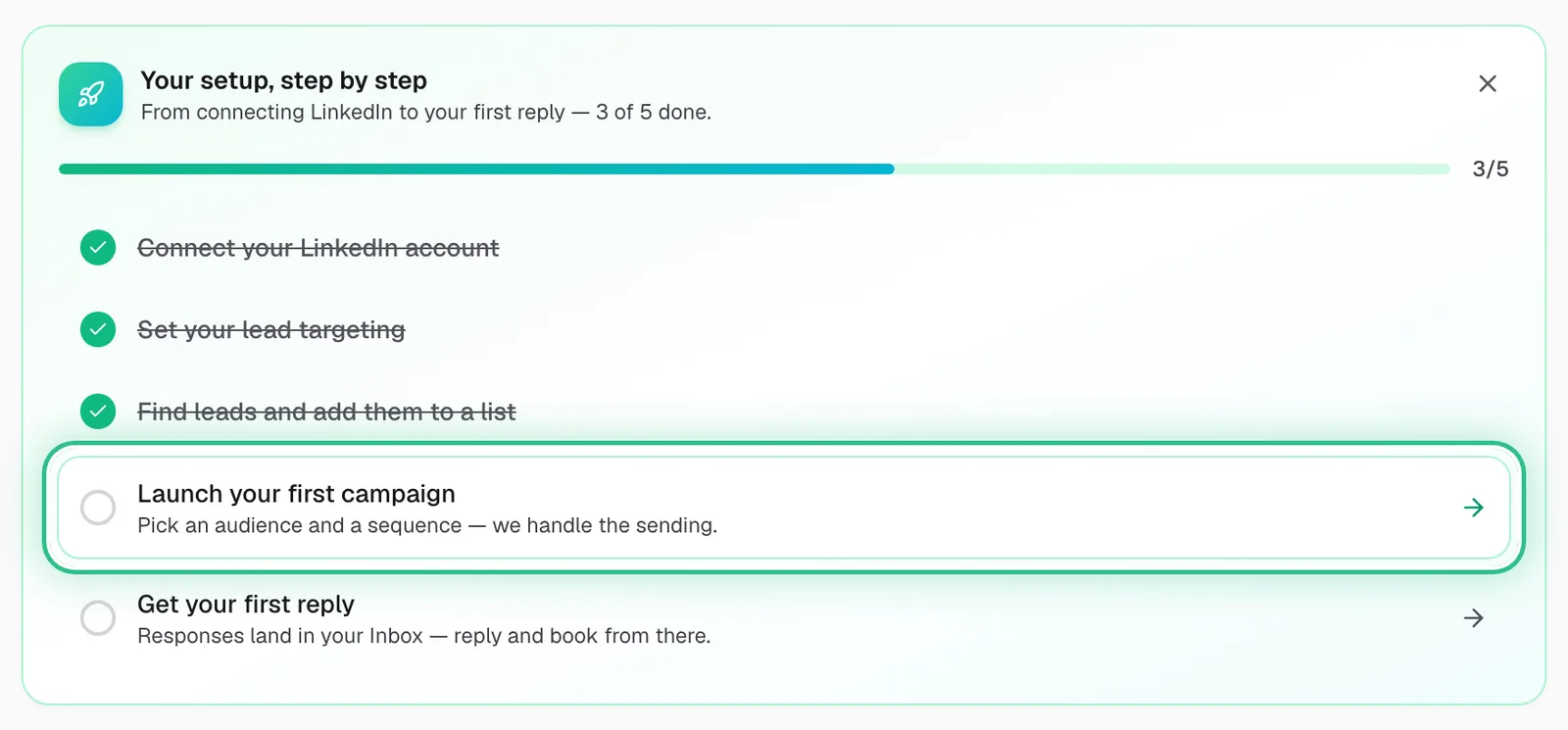
Your setup, step by step, 3 of 5 done, with Launch your first campaign ringed as the next step
Good to know
- Leads waiting but no campaign picking them up? Attach their list to a campaign.
- Top performing posts tell you which profiles are worth tracking more like.
Ready to try it?
Open Dashboard in Saava