Review AI-written messages
With AI writing each message, drafts wait for your approval. What you see is exactly what goes out.
Step by step
- Step 1 of 4
Open Campaigns and the AI Messages tab.

The Campaigns page tabs with AI Messages ringed - Step 2 of 4
Read the draft and the evidence behind it, and edit anything you like.
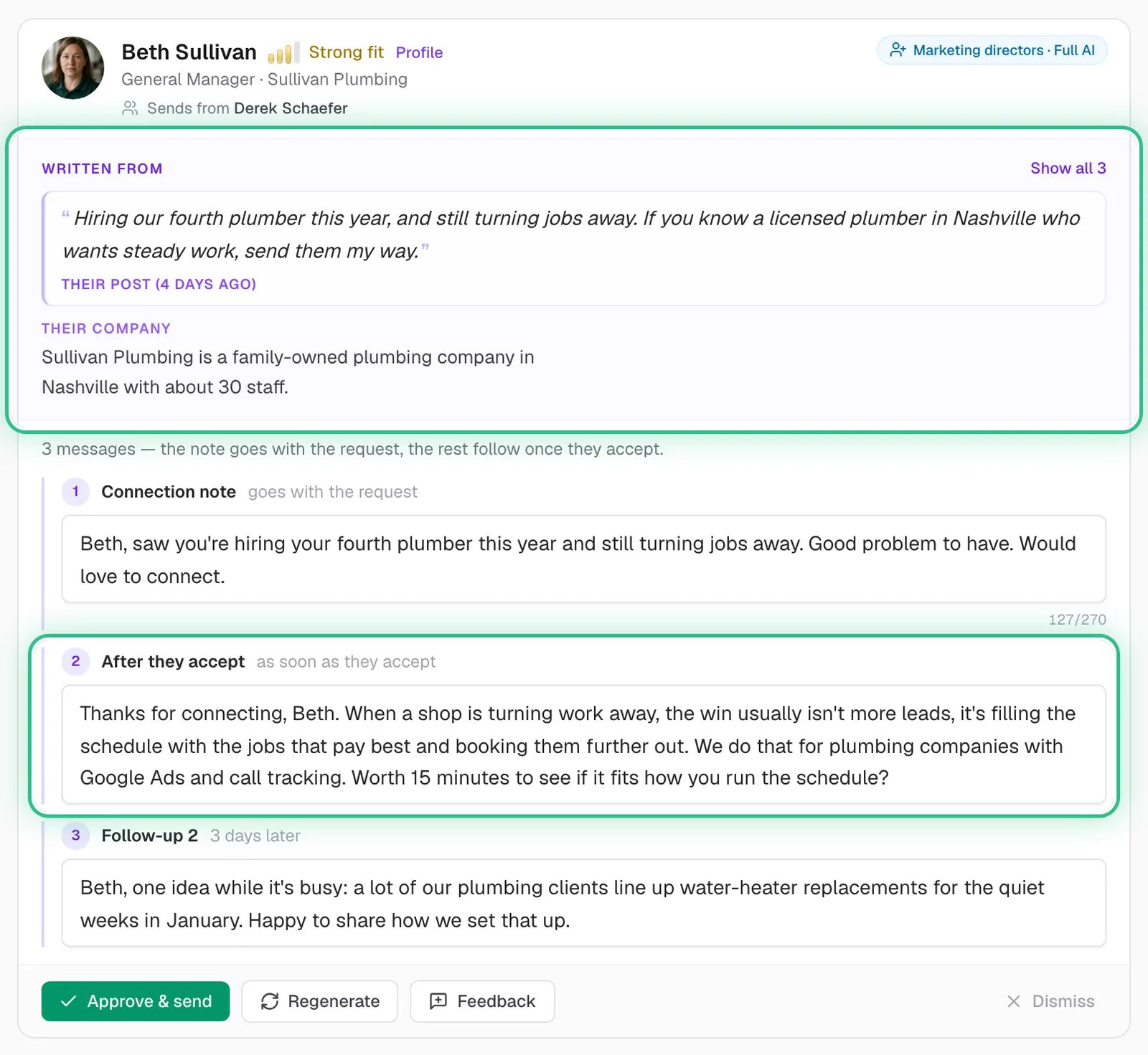
An AI-written draft with the post it was written from and the message you can edit, both ringed - Step 3 of 4
Click Approve & send, Regenerate for a fresh version, or Dismiss.
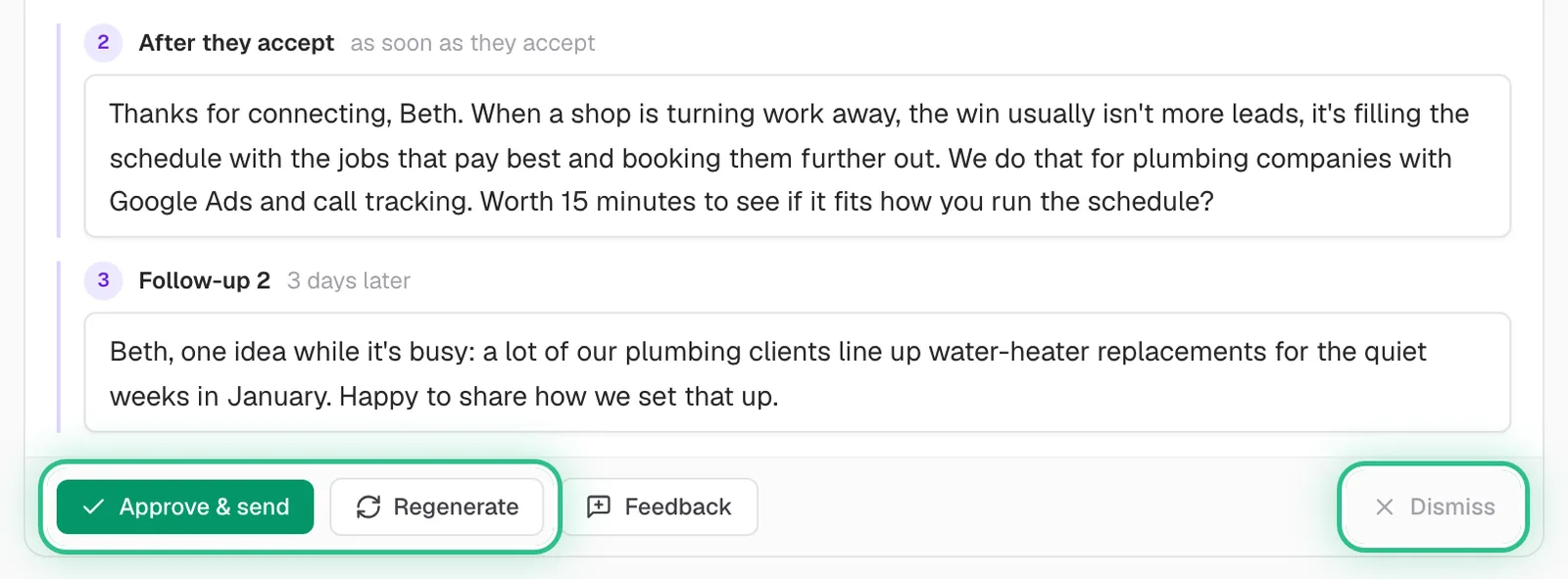
The bottom of a draft with Approve & send and Regenerate ringed, and Dismiss ringed on the right - Step 4 of 4
Click Feedback to tell the AI what to change from now on.
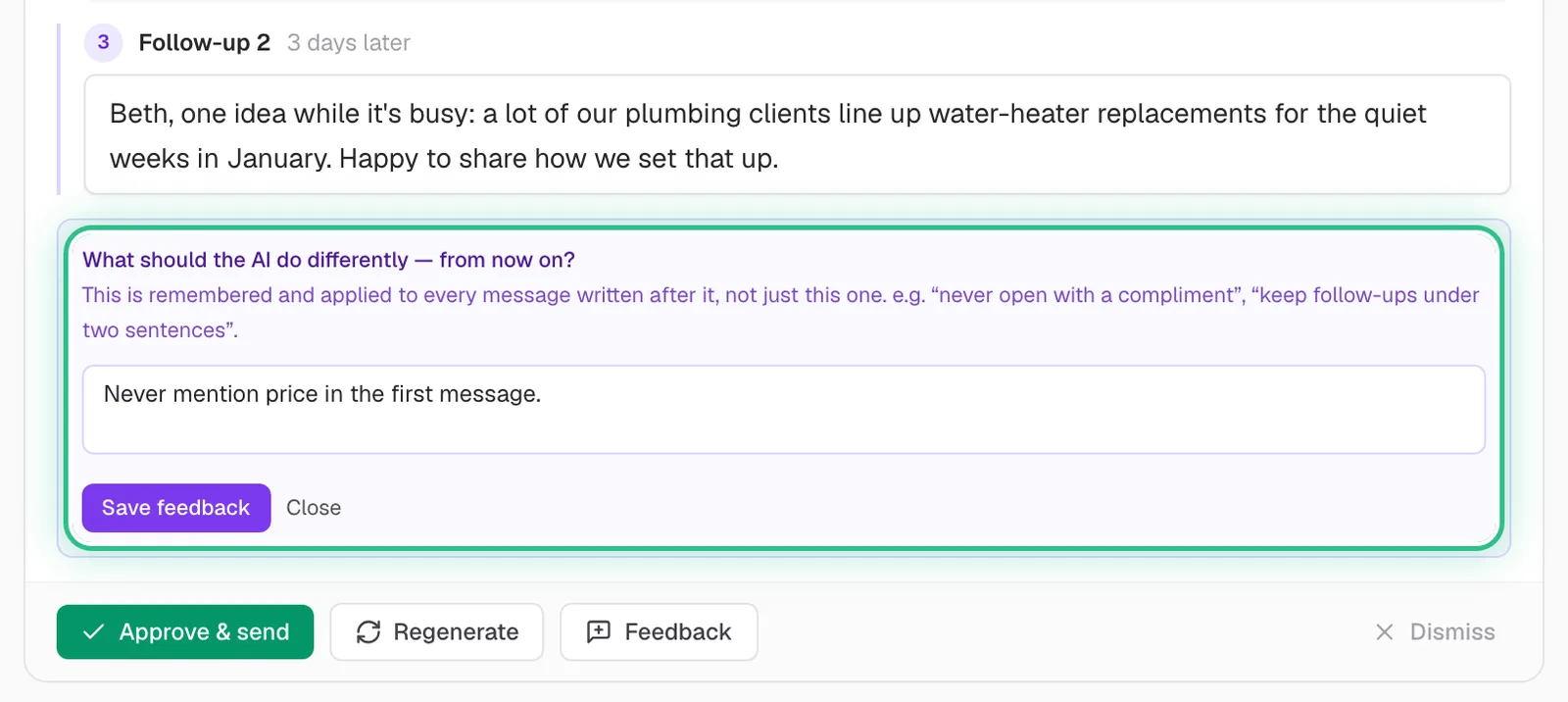
The Feedback box open under a draft, asking what the AI should do differently from now on
Good to know
- Feedback applies to every draft written after it; Regenerate only redoes this one.
- Regenerating is free — a draft is charged once, when it's first written.
- Keyboard: J and K to move between drafts, A to approve, F for feedback, D to dismiss.
- Drafts that touch a sensitive topic always wait for a person, even with auto-approve on.
Ready to try it?
Open AI Messages in Saava