Catch buying signals with intent monitors
Standing watches on LinkedIn. Describe a buying moment in plain English, and the people who post about it land on your board.
Watch it first
Step by step
- Step 1 of 4
Open Intent monitors under Intent Signals in the menu and click Add intent monitor.

The Intent monitors page with Add intent monitor ringed - Step 2 of 4
Give it a name and describe what needs to have happened — the event, not the person.
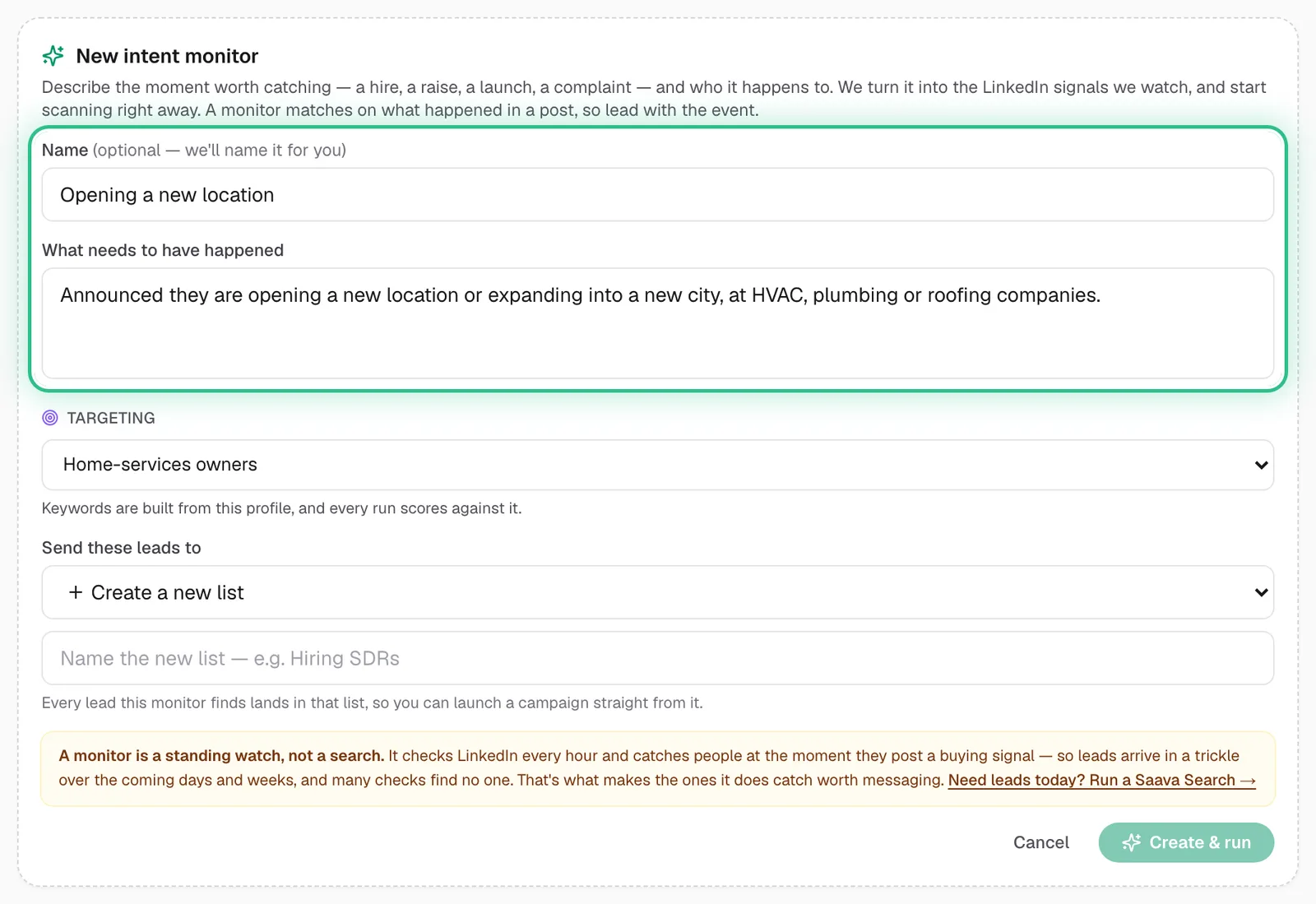
The new intent monitor form with its name and what needs to have happened ringed - Step 3 of 4
Pick the targeting profile to score against and where to send the leads, then click Create & run.
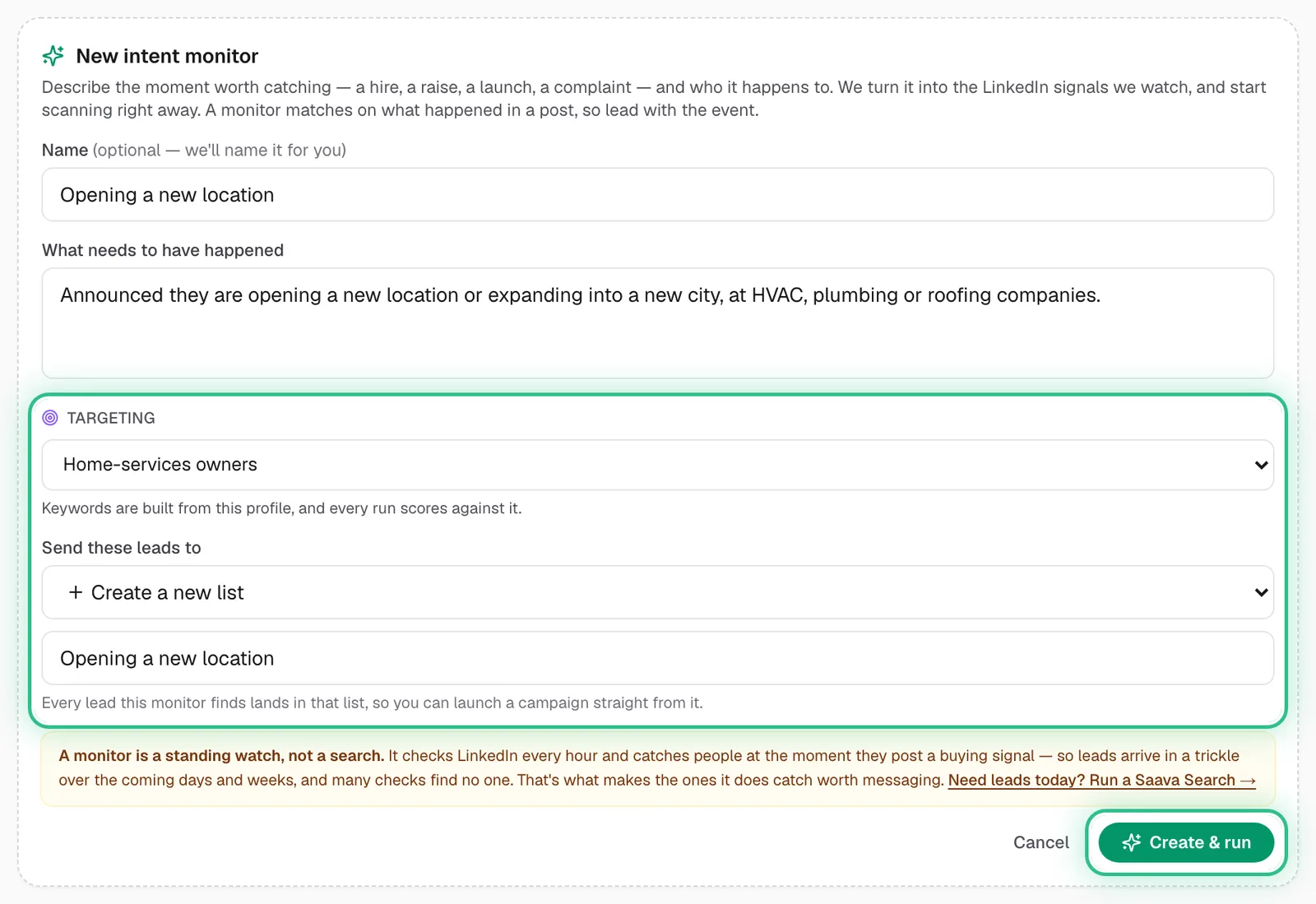
The new intent monitor form with the targeting and where the leads go ringed, and Create & run ringed - Step 4 of 4
Review what it finds: fits become leads, and near-misses wait for you to Add as lead or mark Not relevant.
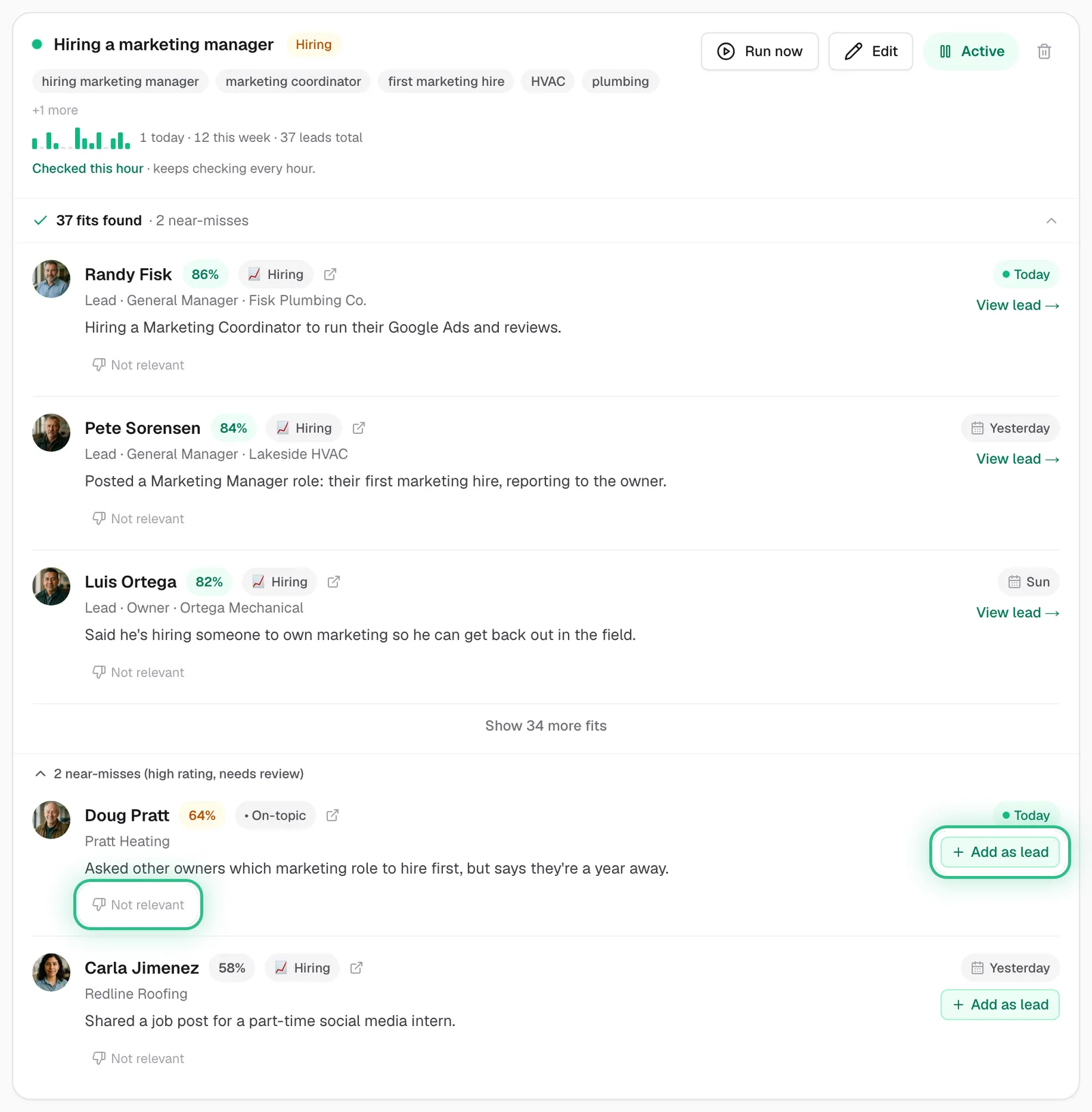
A monitor's fits and near-misses, with Add as lead and Not relevant ringed on a near-miss
Good to know
- Lead with the event: “just raised a seed round”, “hiring their first SDR”, “switching CRM”. A monitor matches on what happened in a post.
- It's a standing watch, not a search — many checks find no one. It checks LinkedIn every hour on every plan. Need leads today? Use Search.
- Marking a match Not relevant stops that company coming back and tunes the monitor.
- Monitors per plan: 1 on the trial and Starter, 3 on Growth, 5 on Scale.
Ready to try it?
Open Intent monitors in Saava