Let AI suggest profiles to track
Describe your buyer and get LinkedIn voices worth tracking, ranked by fit.
Step by step
- Step 1 of 4
On Tracked profiles, open Find sources with AI.
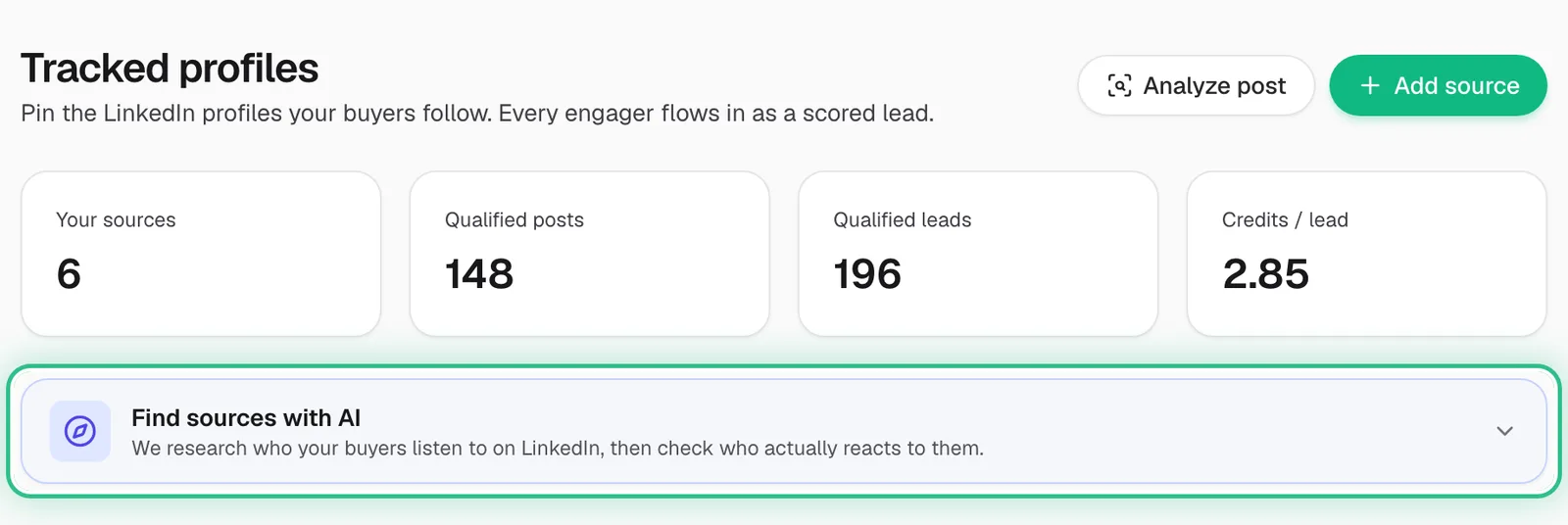
The Tracked profiles page with the Find sources with AI panel ringed - Step 2 of 4
Choose Fill from my business profile — or Fill it in myself to try a different buyer.
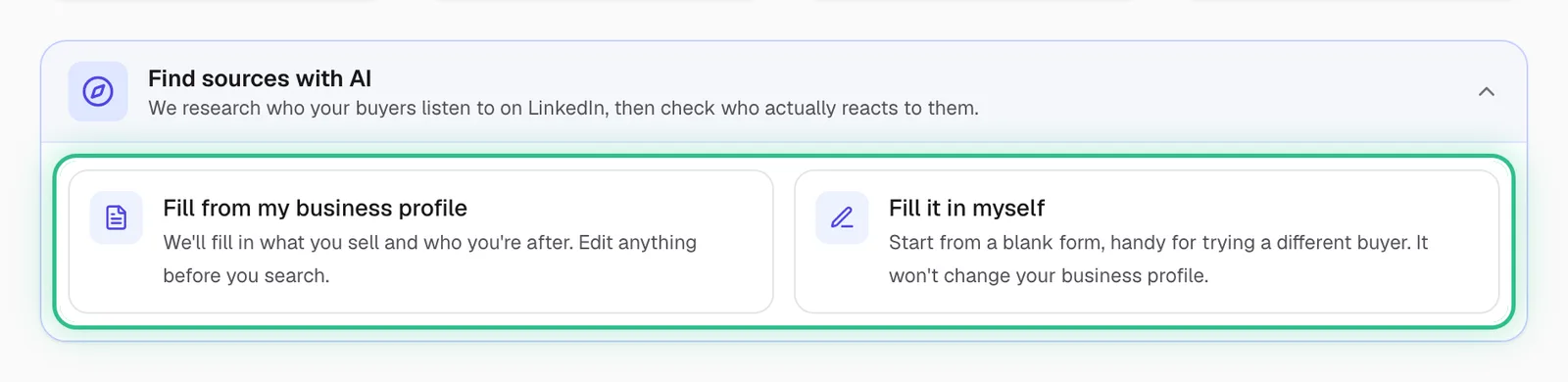
Find sources with AI opened, with Fill from my business profile and Fill it in myself ringed - Step 3 of 4
Check what you sell and who you want to reach, then click Find sources.
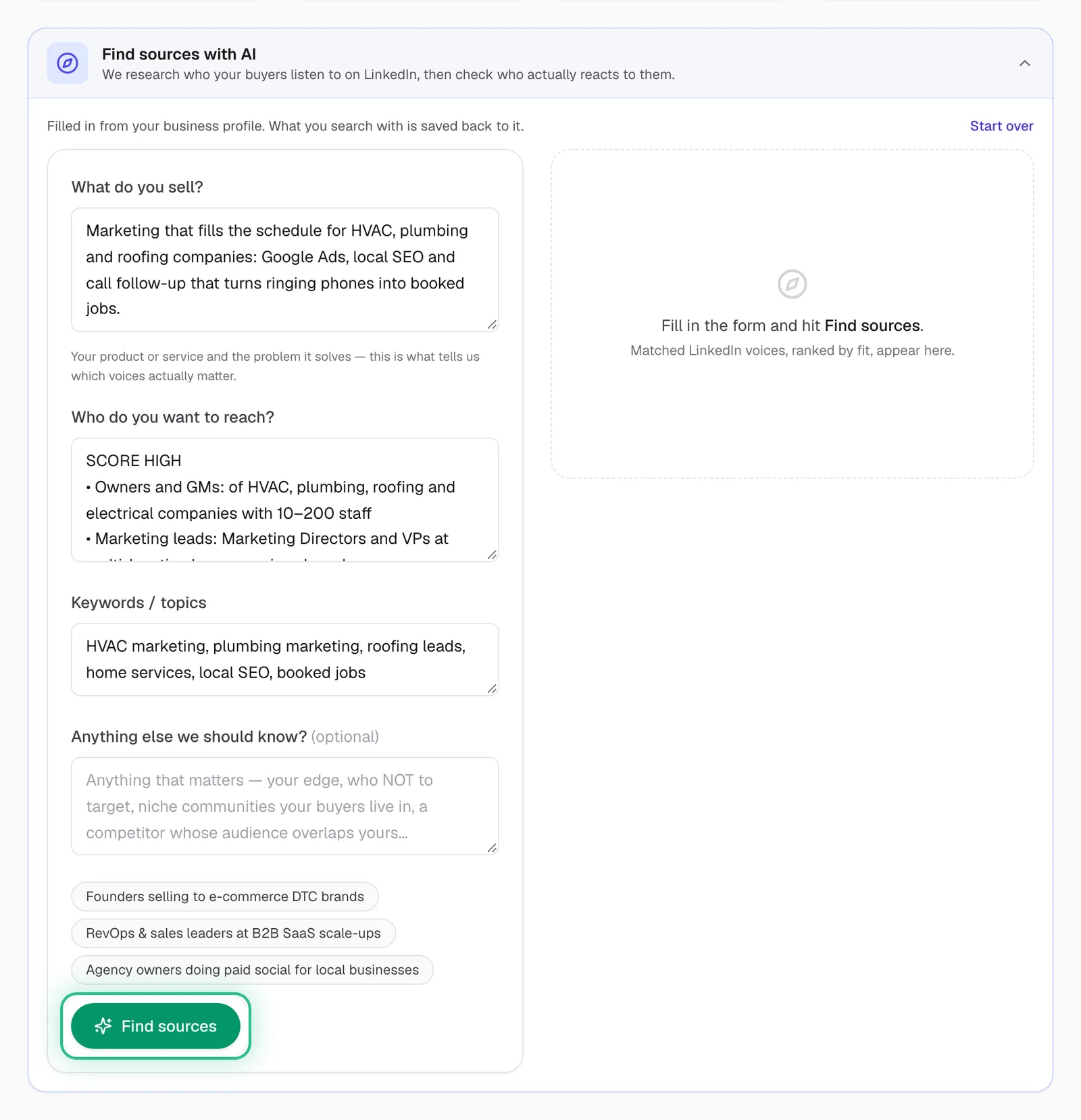
The Find sources form filled in from the business profile, with Find sources ringed - Step 4 of 4
Add the suggestions you like; they're tracked like any other profile.
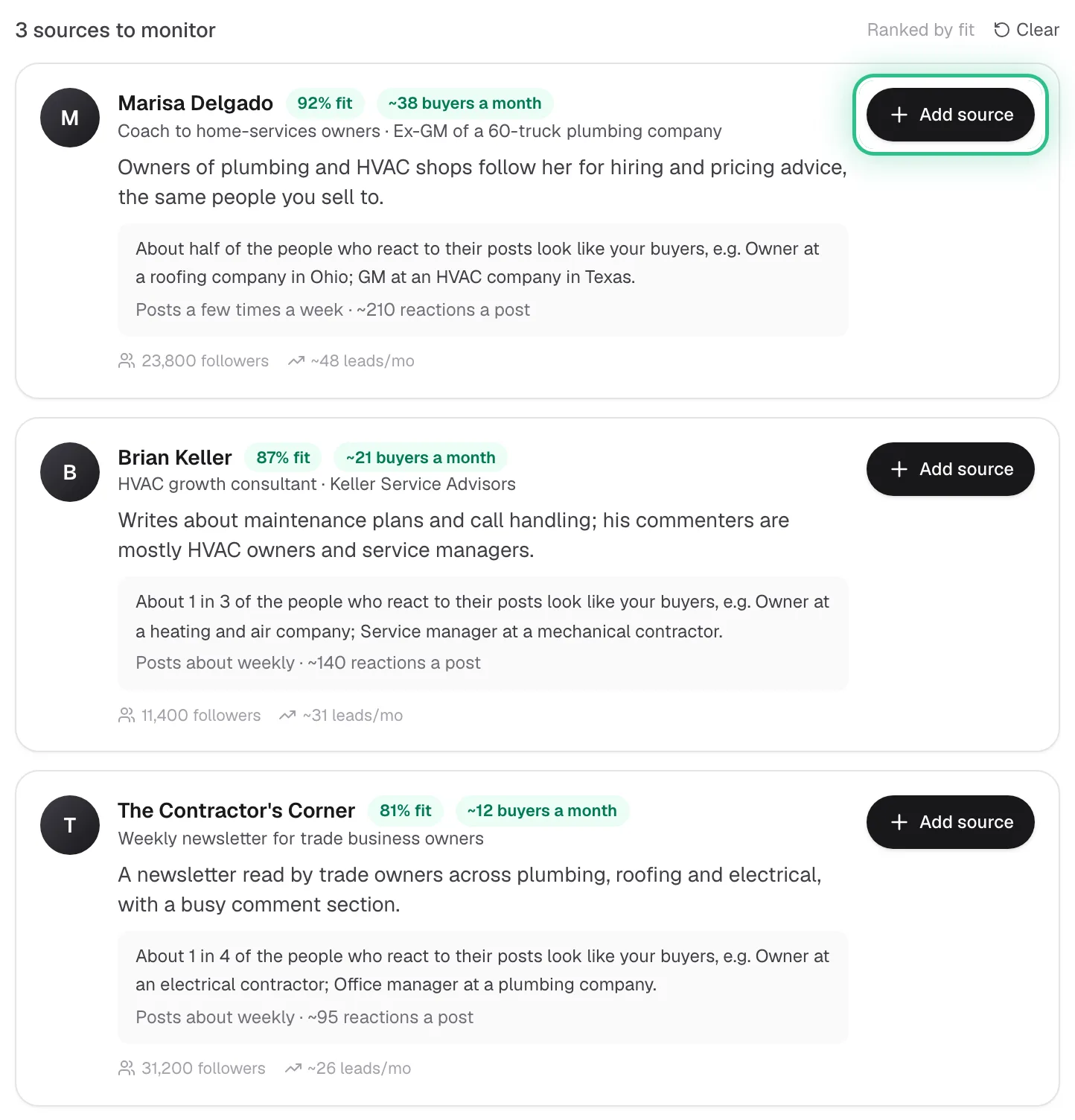
Three suggested LinkedIn voices ranked by fit, with Add source ringed on the first
Good to know
- Each run costs 12 credits and suggests up to 8 profiles. It's free on the trial, and a run that finds no one costs nothing.
- A search from a blank form doesn't change your business profile, so it's a safe way to explore a new audience.
- Specific beats broad: “RevOps leaders at B2B SaaS” finds better voices than “sales”.
Ready to try it?
Find sources in Saava