Organize leads into lists
Lists group leads for a purpose — usually the audience for a campaign.
Step by step
- Step 1 of 4
Open Lead Lists (under Leads) and click New list.
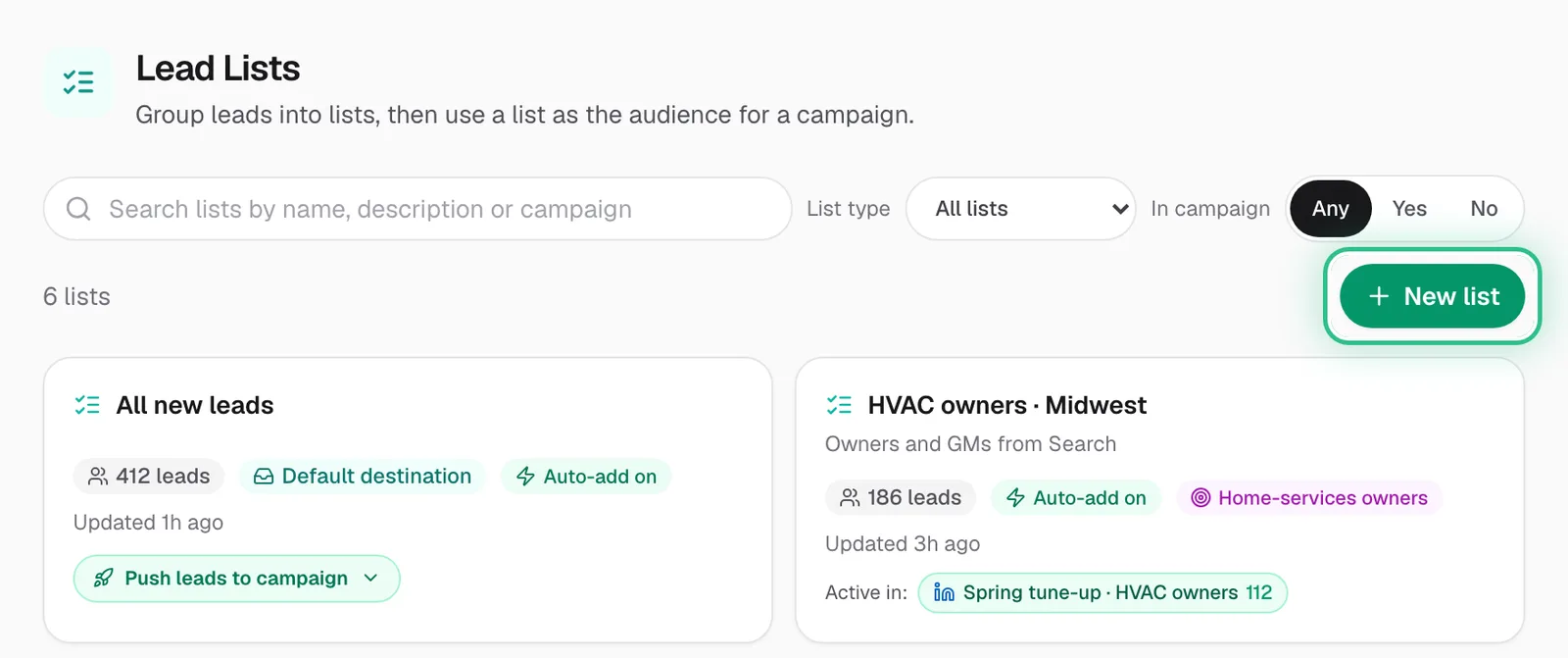
The Lead Lists page with New list ringed - Step 2 of 4
Choose where it fills from: Search, a tracked profile, an intent monitor, an import, or a blank list.
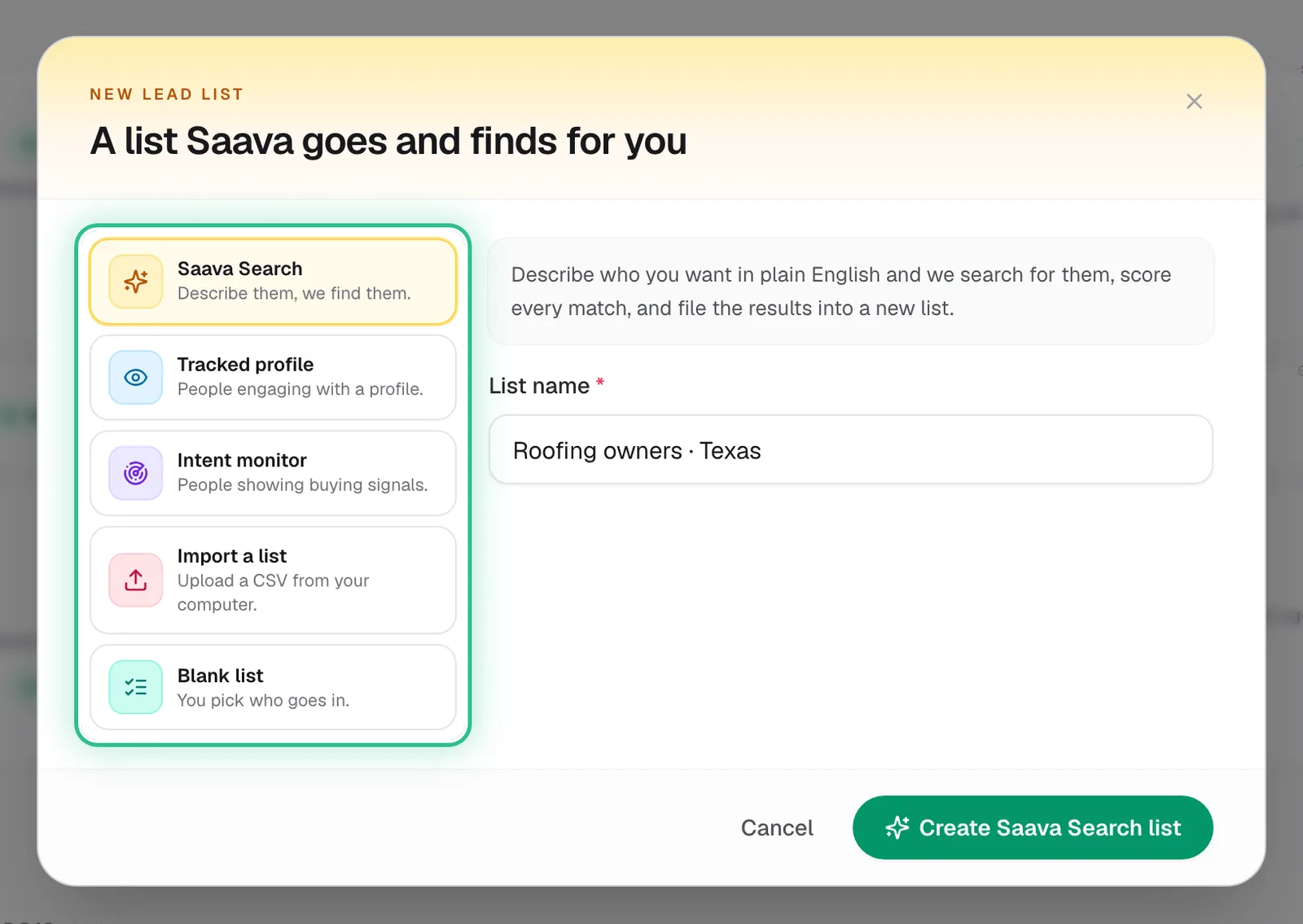
The New lead list window with the five ways to fill a list ringed: Saava Search, Tracked profile, Intent monitor, Import a list and Blank list - Step 3 of 4
Open the list and turn on Keep filling so new matching leads join it automatically.
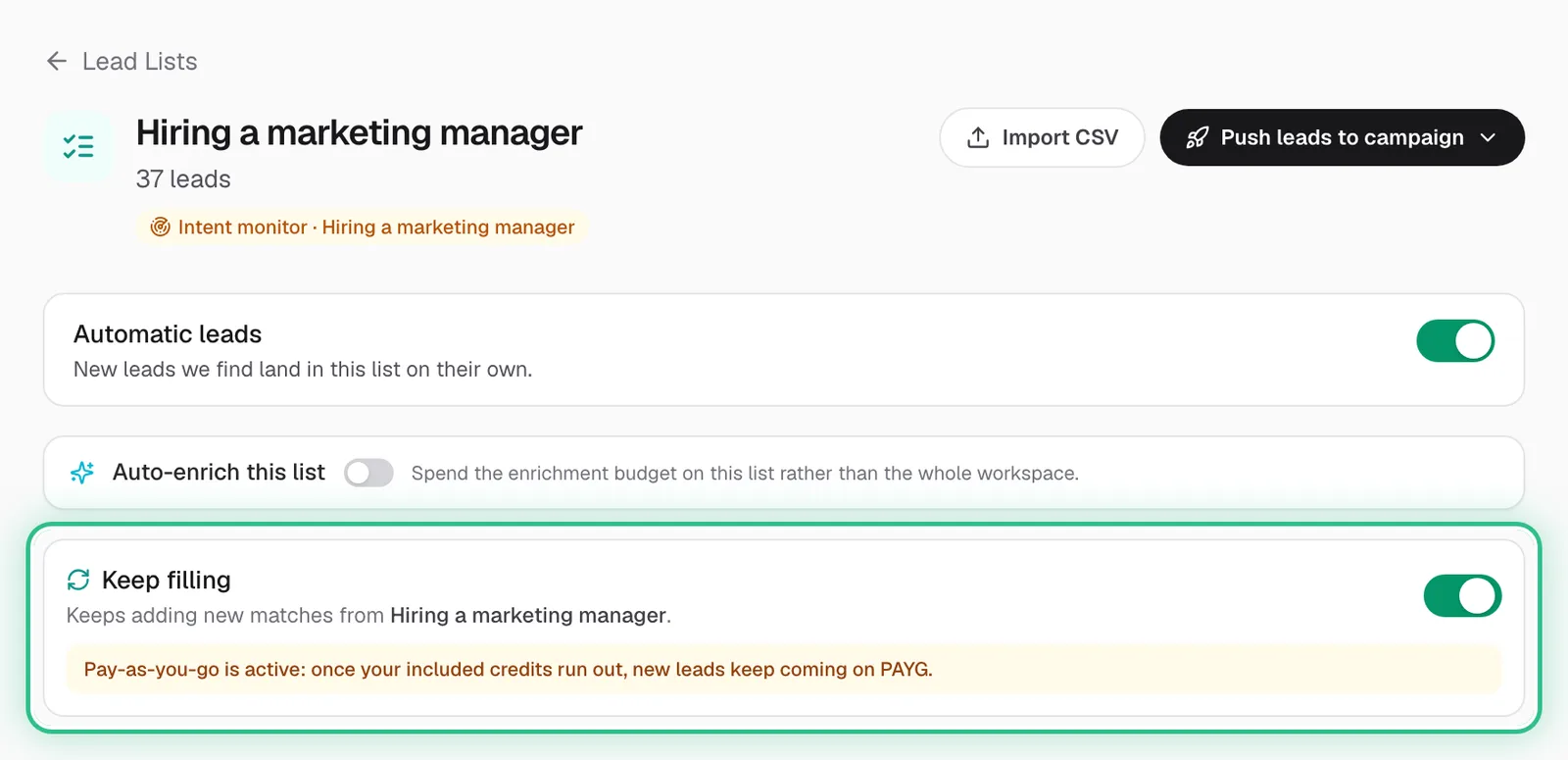
A lead list fed by an intent monitor, with Keep filling switched on and ringed - Step 4 of 4
Click Push leads to campaign and pick one of your campaigns, or New campaign with this list. Leads added to the list later follow on their own.
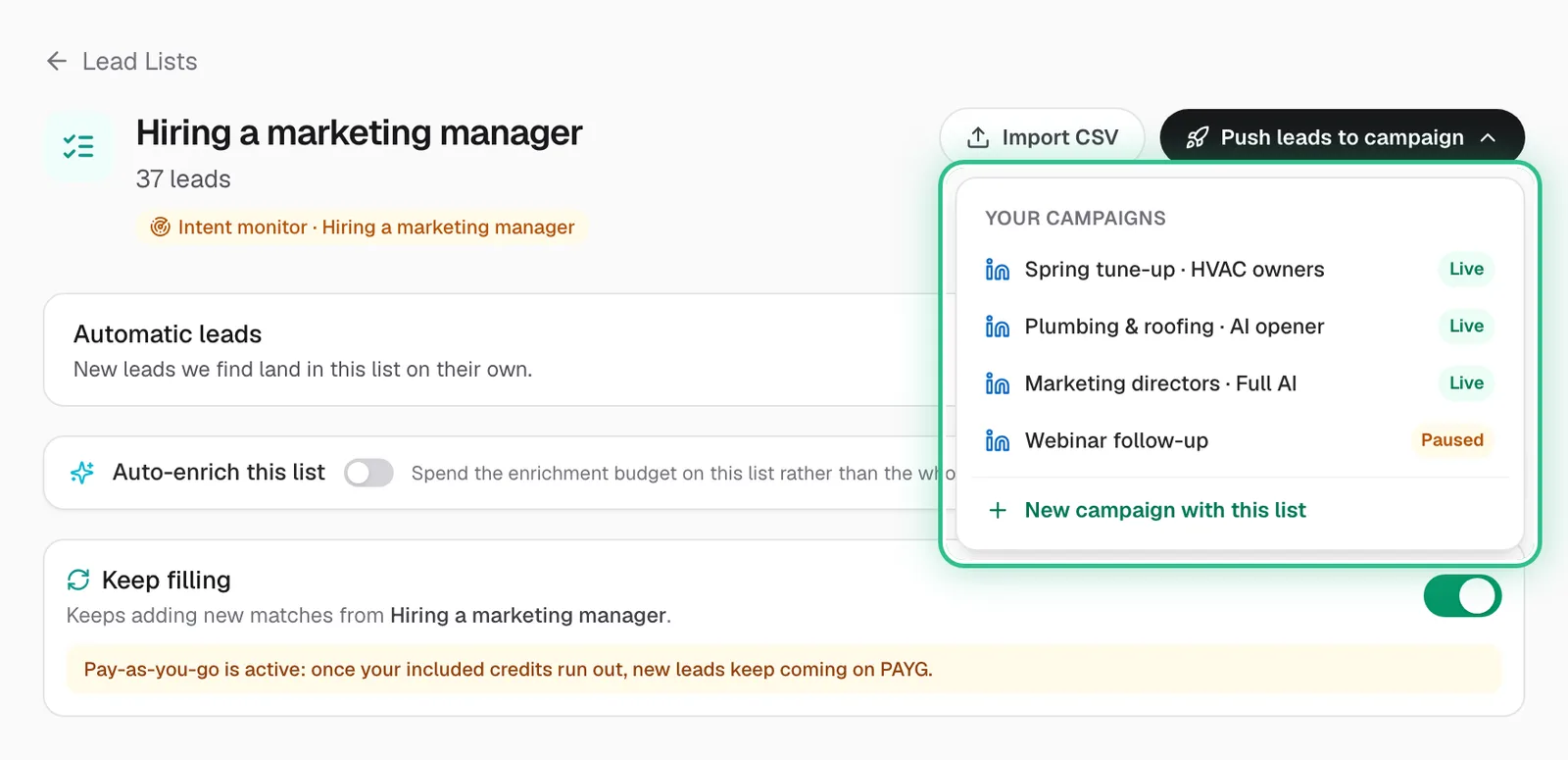
Push leads to campaign opened on a list, showing your campaigns and New campaign with this list, ringed
Good to know
- A campaign sends to the list attached to it. Keep filling is what keeps that list — and the campaign — supplied with new leads.
- Adding leads to a campaign once is a snapshot; attaching the list keeps it fed.
- Leads you remove from a list stay off it.
Ready to try it?
Open Lead Lists in Saava